
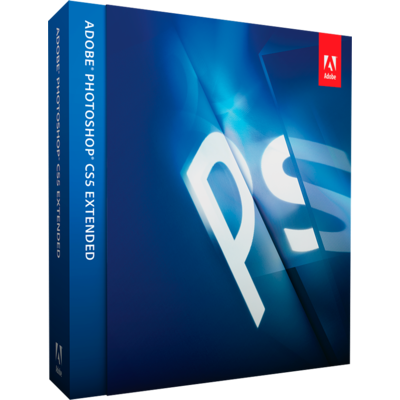
Product Key to Activate Adobe Photoshop CS5 Extended
Adobe® Photoshop® CS5 Extended software is the ultimate solution for advanced digital imaging, delivering everything in Photoshop CS5 plus breakthrough tools for 3D and motion editing. And now, use it with creativity- and productivity-boosting mobile device apps as they become available
Perform advanced 3D editing
Go beyond traditional image editing with Adobe® Photoshop® CS5 Extended software. Bring 3D elements to your 2D artwork directly within your favorite digital imaging application, which now offers an easy on-ramp to 3D image creation
Edit and enhance images intelligently
Easily select and mask intricate image elements, eliminate background color, and replace elements with Content-Aware Fill. Apply nondestructive Smart Filters, adjust image elements using Puppet Warp, and recompose an image with Content-Aware Scaling
Enjoy an extraordinary painting and drawing toolset
Bring a real-world feel to your digital canvas with the Mixer Brush, Bristle Tips, and GPU-accelerated painting tools. Use the onscreen color picker to adjust colors quickly and easily
Process images professionally with Camera Raw 6
Process raw images, JPEGs, TIFFs, or PNG images with the industry-leading Photoshop Camera Raw 6 plug-in. Remove noise without oversharpening, add grain, or perform post-crop vignetting
Use advanced compositing features
Work creatively with precision and efficiency. Adjust the opacity and fill of multiple layers at once, blend images smoothly, create 360-degree panoramas, automatically align layers, extend depth of field, and more
Work with state-of-the-art photography tools
Correct lens distortions, chromatic aberration, and vignetting automatically, or customize precise corrections with the improved Lens Correction filter. Straighten crooked images quickly. Correct overexposed areas without affecting the rest of the image
Control color and tone
Get the color right with industry-leading correction tools, superior HDR imaging, and HDR Toning. When you need to convert color to black-and-white, customize the conversion for exactly the look you want
Create for video and animation
Work with a broad range of video file formats. Edit video layers quickly and precisely. Paint, add text, and clone over multiple frames using Movie Paint. Easily create animations from a series of still images
Manage your work efficiently
Do the work you need to do with fewer obstacles. Cross-platform 64-bit support speeds up day-to-day tasks. Manage and batch-process media with Adobe Bridge and Mini Bridge. Navigate, crop, and print smoothly. Customize your workspace
Take advantage of a streamlined workflow
Keep your projects moving smoothly through every stage of the process. Integration with Photoshop Lightroom (sold separately) and Adobe CS Live online services1,2 let you manage your images and work collaboratively more easily
Enjoy new timesaving tools
Perform common and not-so-common image-editing tasks faster, whether you’re reversing clone source images, adding adjustment layers, working with masks, or downsampling image files
Extend your reach
Get even more out of Photoshop with third-party plug-ins, custom panels, and Adobe Photoshop Touch companion apps for Photoshop CS5. And, collaborate online using Adobe ConnectNow, part of Adobe CS Live online services
Perform quantitative analysis
Work with specialized images for architecture, manufacturing, engineering, science, and medicine. Extract quantitative data from images, and experience support for DICOM images and MATLAB processing routines
English, dansk, français, Deutsch, italiano, norsk, português, español, svenska
Windows
- Intel® Pentium® 4 or AMD Athlon® 64 processor
- Microsoft® Windows® XP with Service Pack 3; Windows Vista® Home Premium, Business, Ultimate, or Enterprise with Service Pack 1 (Service Pack 2 recommended); or Windows 7
- 1GB of RAM
- 1GB of available hard-disk space for installation; additional free space required during installation (cannot install on removable flash storage devices)
- 1024x768 display (1280x800 recommended) with qualified hardware-accelerated OpenGL graphics card, 16-bit color, and 256MB of VRAM
- Some GPU-accelerated features require graphics support for Shader Model 3.0 and OpenGL 2.0
- QuickTime 7.6.2 software required for multimedia features
Mac
- Multicore Intel processor
- Mac OS X v10.5.7 or v10.6
- 1GB of RAM
- 2GB of available hard-disk space for installation; additional free space required during installation (cannot install on a volume that uses a case-sensitive file system or on removable flash-based storage devices)
- 1024x768 display (1280x800 recommended) with qualified hardware-accelerated OpenGL graphics card, 16-bit color, and 256MB of VRAM
- Some GPU-accelerated features require graphics support for Shader Model 3.0 and OpenGL 2.0
- QuickTime 7.6.2 software required for multimedia features
What customers say
We bought here the package Microsoft Office 16. The keys were delivered 30-40 minutes after the payment (we paid with the credit card). Earlier we had bought there ОS Windows 7, updated to Windows 8…
 Angelo AU
In response to my question I only heard the kindness and a real willing to help. They chose the original program just for my case. Thank you very much. Now I have one less problem.
Carolin USThe precision that AutoCAD LT offers is still unrivaled. Though my company moved away from using regular AutoCAD, I still bought the license for freelancing and for my personal projects.
Jonathan B. CA