
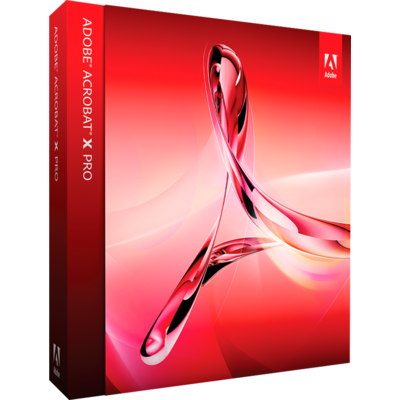
Product Key to Activate Adobe Acrobat X Pro
Adobe Acrobat X Pro is an update of revolutionary Adobe product – the Acrobat offering an ultimate set of tools for creating, converting, managing, sharing and cooperating on PDF files. The X Pro release has got few updates and improvements. The software initially is built upon Acrobat X Standard and inherits its core features.
The major improvement, users will notice, is all new Tools task pane ensuring simpler and faster access to necessary options and tools. The new tool panel proves not only the simplicity of use of Adobe Acrobat X Pro, but shows it power performing the number of instruments and features available in a single application to enhance the PDF workflow. Now the options provided in the Adobe Acrobat cover any task from creating an XML-based form to commercial printing. Editing and managing a PDF file can be a real challenge even for a pro user as this type of document requires too much of specific instruments to make it look professional. The Pro X version provides you with everything to create pro PDF documents.
The range of options covers:
- preparation of paper documents for archiving
- distribution of documents
- marking up the document
- preparing document for redaction
- protecting sensitive information
- providing and limiting access to users
- general file optimization
- protecting the document or its part with a password
- electronic encryption and signature of the documents
Top new features of Adobe Acrobat X Pro
Adobe Acrobat X Pro users will enjoy adding maps and 3D objects to PDF documents.
Another feature, to improve the quality and efficacy of every PDF document you create, is an ability to add audio files to the documents as well as video files and other interactive content which may improve communication of your idea to your target audience. With Adobe Acrobat X Pro the PDF documents will never be static as on paper.
The Adobe Company has taken care about creating the first impression on your target audience adding powerful features of presentation. Composing a presentation in PDF you automatically enable your end users to download original pieces of content they need from your presentation. On choosing Portfolio creation, Adobe Acrobat X Pro will start a wizard and will offer you to choose from five standard layouts which are customizable. These layouts are:
- click through
- linear
- wave
- grid
- free-form
The presentation created in Adobe Acrobat X Pro can add any file of any format you have access to, the files should not necessarily be in PDF format. The presentation then uploads all chosen files in a chosen layout and will offer you a set of tools to manage the content you have uploaded.
Apart from choosing a layout for your presentation, you can set a theme and change colors of background, setting gradients, opacity and blurring of the elements.
The portfolio has also got new web capabilities in Adobe Acrobat X Pro. You can now add web-based content to be viewed either directly in the document or opened and viewed in a browser. A finished portfolio can be uploaded online and being shared with links.
English, dansk, Nederlands, suomi, français, Deutsch, italiano, 日本語, norsk (bokmål), português, español, svenska
Windows
- 1.3GHz or faster processor
- Microsoft® Windows® XP Home, Professional, or Tablet PC Edition with Service Pack 3 (32 bit and 64 bit); Windows Server® 2003 (32 bit and 64 bit; Service Pack 2 required for 64 bit); Windows Server 2008 or 2008 R2 (32 bit and 64 bit); Windows Vista® Home Basic or Premium, Business, Ultimate, or Enterprise with Service Pack 2 (32 bit and 64 bit); Windows 7 Starter, Home Premium, Professional, Ultimate, or Enterprise (32 bit and 64 bit); Windows 8/8.1
- 512MB of RAM (1GB recommended)
- 1.9GB of available hard-disk space
- 1024x576 display
- DVD-ROM drive
- Internet Explorer 7 or 8; Firefox 3.5 or 3.6
- Video hardware acceleration (optional)
- Note: For Windows Server 2003 SP2, Microsoft Update KB930627 is required.
Mac
- Intel® processor
- Mac OS X v10.5.8 or v10.6.4
- 512MB of RAM (1GB recommended)
- 1.2GB of available hard-disk space
- 1024x768 display
- Safari 4 or 5 (Safari 5 requires Mac OS X v10.6.4)
What customers say
Having used AutoCAD for two decades now, it's safe to say I'm not moving away from it. I bought the license for the LT version because I still find it the best for 2D technical drawings of any kind.…
 Stipe H. NL
My first purchase in this shop proved to be quite successful and favorable in all respects. I ordered Photoshop here. They even had an indefinite license I’ve been looking for so long. I made a payme…
Yuette USI’d like to thank you for your help and leave my feedback. Only thanks to you I understood, w2hat was really necessary for my laptop and finally bought it!!! Now I am sure that it is better to buy a…
Nelda AU